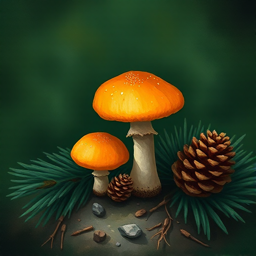
Identify mushrooms from a photo and save your foraging spots on a terrain map
Likely species and dangerous lookalikes. A 3D map with pine forests in orange, contour lines and an optional alert when the weather suits saffron milk caps.
Updated

iPhone, iPad and Macs with Apple silicon, on the App Store
What Níscalo is
Níscalo is an app for iPhone, iPad and Macs with Apple silicon that identifies mushrooms from a photo using artificial intelligence, marks on the map the pine forests where saffron milk caps may grow and saves your places on a 3D satellite map. On iPhone and iPad it can alert you the day before. It does not replace an expert mycologist.
Important: Níscalo does not replace an expert mycologist. AI identification is a guide only and can be wrong. Never eat a mushroom just because an app says so: if you have the slightest doubt, don't eat it, and ask an expert or a local mycological society.
What you get
- One photo, a likely species: Take a photo with the camera or pick one from your library and see the common and scientific name of the most likely species, with a confidence percentage. When confidence is low, the app tells you not to rely on it.
- Know what it can be confused with: Each result shows the features visible in the photo and the lookalike species, including dangerous ones, plus an edibility guide (edible, eat with caution, not edible, toxic, deadly or unknown), always shown with the safety warning.
- A map made for the woods: Apple's satellite imagery in 3D, with five layers on top that you switch on or off: Towns and roads, Trails and tracks, Streams and springs, Contour lines and Pine forests. All the controls are in the round button at the bottom right. Touch and hold a point on the map to save a spot there or get directions.
- Pine forests where mushrooms may grow: The Pine forests layer, on from the start, shades conifer woodland across Europe in orange, which is where the saffron milk cap grows. It uses Copernicus data (2018): it marks conifers, not mushrooms, and has no data outside Europe. A clue, not a guarantee.
- Alert: mushrooms may be out tomorrow: On iPhone and iPad, if you switch it on in Settings, Níscalo tells you the day before when rain and temperature line up in your area, during the autumn season of your hemisphere. It is an estimate from weather data, not a certain forecast: no alert with frost or heavy rain due the next day, and never more than one every 3 days.
- Elevation, slope and sun or shade: With Contour lines on, the point under the crosshair shows elevation, slope and whether the slope faces the sun or lies in shade, using NASA SRTM elevation data.
- Your spots stay yours: Save a place with GPS or by tapping the map. It stays private until you share it with friends, post it to the wall or send it in a message with another app. The "Go" screen gives you the map and a compass with bearing and distance.
- Finds and friends, on your terms: Post what you find with a photo, a description and the location, and choose who sees the place: only you, your friends or everyone. Finds have their own tab, next to the Map. Add friends with a code. No email and no password: just a name.
Free and Pro
Free to download, with a banner and a short full-screen video before each photo analysis. Níscalo Pro removes both, billed monthly or yearly, with a 7-day free trial if you haven't tried it before; the price in your currency is shown in the App Store before you subscribe. Up to 40 photo analyses per day per account.
Platforms
Works on iPhone, iPad and Mac computers with Apple silicon. An internet connection is required. Mac has no compass, so the "Go" screen shows bearing and distance.
Your data
Your account is just a name, with no email or password. Your spots are private until you share them, and for each find you choose who sees the place. The photo you identify with is not kept unless you publish the find. If you switch on the optional mushroom alert, we store an approximate area of about 10 km and your device's notification token, linked to your account. The privacy policy explains everything.
What it does not do
- It does not tell you whether you can eat a mushroom: it gives a clue, not a green light, and it can be wrong.
- It does not replace an expert mycologist or a local mycological society.
- It does not identify without an internet connection.
- It does not publish your spots: they are private until you share them with friends or on the wall.
- It does not guarantee there are mushrooms: Pine forests marks conifers and the alert is an estimate from weather data.
- It does not show where you found something to anyone but the people you choose: only you, your friends or everyone.
Frequently asked questions
Does Níscalo tell me whether I can eat a mushroom?
No. Níscalo gives a clue, not a green light: it suggests the most likely species with its confidence and an edibility guide, and it can be wrong. It does not replace an expert mycologist. Never eat a mushroom just because an app says so; if you have the slightest doubt, don't eat it, and ask an expert or a local mycological society.
How does Níscalo identify a mushroom?
From a photo you take with the camera or pick from your library. The AI returns the common and scientific name of the most likely species, a confidence percentage, the features visible in the photo and the species it can be confused with, including dangerous ones. Photograph the cap, gills and stem for a better result. There is a limit of 40 analyses per day per account, and an internet connection is required.
Which map does it use and what layers does it have?
On iPhone, iPad and Mac the map is Apple's, with its satellite imagery in 3D. On top you switch five layers on or off: Towns and roads, Trails and tracks, Streams and springs, Contour lines and Pine forests (the last one, on by default, only has data in Europe). With contour lines on, point the crosshair and it shows elevation, slope and whether the spot faces the sun or lies in shade, using NASA SRTM elevation data. All the controls, including the 3D button, are in the round button at the bottom right. Touch and hold a point on the map to open its card, with "Save spot here" and "Directions".
How does the mushroom alert work?
It is optional, on iPhone and iPad only, and you switch it on in Settings (Níscalo asks for notification permission at that moment). Once a day our server checks the weather for your area (approximate, about 10 km) with Apple WeatherKit and, if recent rain and temperatures are the ones that usually go with saffron milk caps, it sends "Saffron milk caps may be out tomorrow". It is an estimate, not a certain forecast: no alert with frost or heavy rain due the next day, and never more than one every 3 days. You can switch it off whenever you like.
Are my spots private?
Yes. A spot is yours alone until you share it with friends, post it to the wall or send it in a message with another app. For finds, you choose who sees where you found them: only you, your friends or everyone. Your account is just a name, with no email or password.
Is it free, and which devices does it run on?
It is free to download and runs on iPhone, iPad and Mac computers with Apple silicon. The free version shows a banner and a short video before each photo analysis. Níscalo Pro removes them, with a 7-day free trial if you haven't tried it before; the price in your currency is shown in the App Store before you subscribe. Mac has no compass, and if your Mac has no camera you identify from a photo in your library.
Questions or ideas? Write to gabrielmicovictoria@gmail.com or see the help and support page.